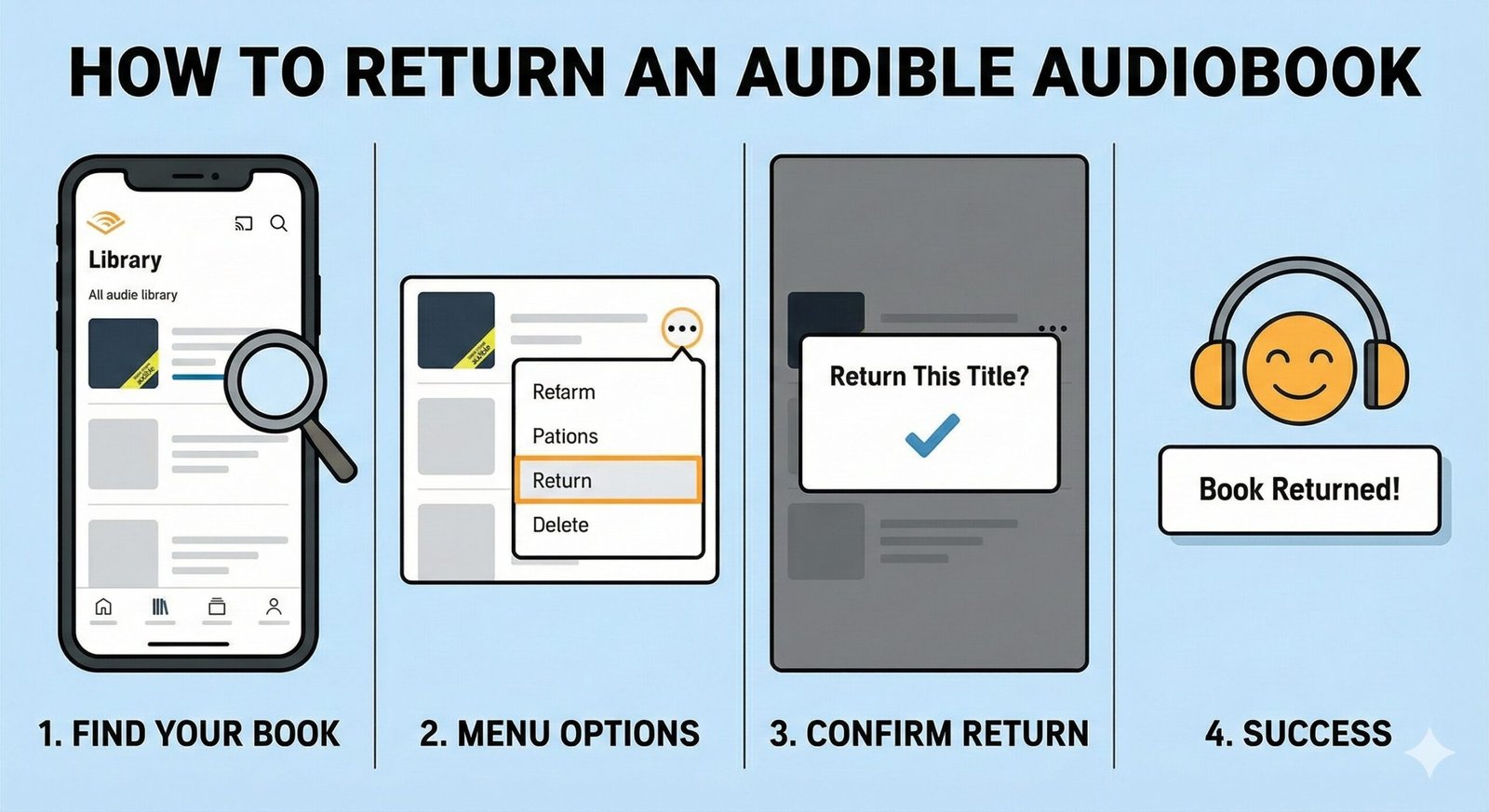
How to Return Audible Books: The Complete Refund Guide
We’ve all been there: a narrator’s voice grates on your nerves, the plot takes a nosedive in Chapter 3, or you simply bought the wrong title by mistake. Fortunately, Audible has one of the most generous return policies in the digital media world, known as the “Great Listen Guarantee.”
However, the process isn’t always obvious.Audible restricts returns directly through the app to comply with app store policies, forcing users to navigate the mobile or desktop web interface. This guide cuts through the confusion, providing you with a failsafe, step-by-step method to get your credit back instantly.
Eligibility Requirements: Can I Return This Book?
Before you attempt a refund, ensure your purchase meets Audible’s specific criteria. According to their official policy:
- Active Membership: You must be an active Audible Premium Plus member in good standing. If you have cancelled your membership, you lose the ability to return books.
- Time Window: The return must be initiated within 365 days of the original purchase date.
- Payment Method: The title must have been purchased with an Audible credit or credit card directly through Audible.
Method 1: Returning via Desktop Website (Easiest Way)
The desktop site offers the cleanest interface for returns. If you have access to a computer, start here.
- Go to Audible.com and sign in.
- Hover over “Hi, [Your Name]” at the top of the page and select Account Details.
- In the left-hand menu, click on Purchase History.
- Find the book you want to return. (Note: You can filter by “Orders” to find it faster).
- Click the “Return this title” button next to the book.
- Select a reason for the return (e.g., “Did not like narrator”) and confirm.
Once confirmed, your credit is refunded instantly.

Not a Member Yet?
Audible’s return policy is a member-exclusive perk. Join today to get a free credit and access the Plus catalog.
Join Audible Premium PlusMethod 2: Returning via Mobile (No App!)
You cannot return books inside the Audible app on iOS or Android. You must use your mobile browser (Safari, Chrome, etc.).
- Open your mobile browser and go to Audible.com.
- Tap the “Menu” button (three horizontal lines) in the top left.
- Tap “My Account” or your name, then select Purchase History.
- Locate the book you wish to refund.
- Tap the book title to expand the details, then tap “Return this title.”
- Confirm the reason for your return.
Why Is My “Return” Button Missing?
If you followed the steps above but see “Not Eligible for Return” or simply don’t see the button, it is likely due to one of the following reasons:
- Excessive Returns: You have returned too many books in a short period. Audible’s automated system flags accounts that appear to be abusing the policy (e.g., listening to full books and then returning them repeatedly).
- Non-Member Status: You cancelled your membership. Only active members can self-return.
- Cash Purchase via App: If you bought the book through the Apple/Google app payment system, Audible cannot refund it directly.
- Two-for-One Sales: If you bought the book during a 2-for-1 sale, you often cannot return just one book; you may need to return both or contact support.
The Fix: If the button is missing but you have a legitimate reason (e.g., the file is corrupted), you can still get a refund by contacting Audible Customer Support via chat or phone. They can manually override the system for valid returns.
Refunds: Credits vs. Cash
How you get your money back depends on how you paid:
- Paid with Credit: You will receive 1 Audible Credit back into your account immediately. This credit expires in 12 months.
- Paid with Credit Card: You will receive a monetary refund to the original card. This typically takes 7-10 business days to appear on your statement.
- Paid with Coupon: You will receive a new coupon.
Warning: Return Limits & Account Bans
Audible’s policy is generous, but it is not unlimited. While they do not publish an exact number, user reports suggest that returning 3-5 books in a short period (or returning books after listening to them 100%) can trigger a restriction.
If you hit this limit, you will see a message saying “Online returns are not available.” At this point, you must contact support for every future return. Persistent abuse can lead to a permanent ban or loss of return privileges.