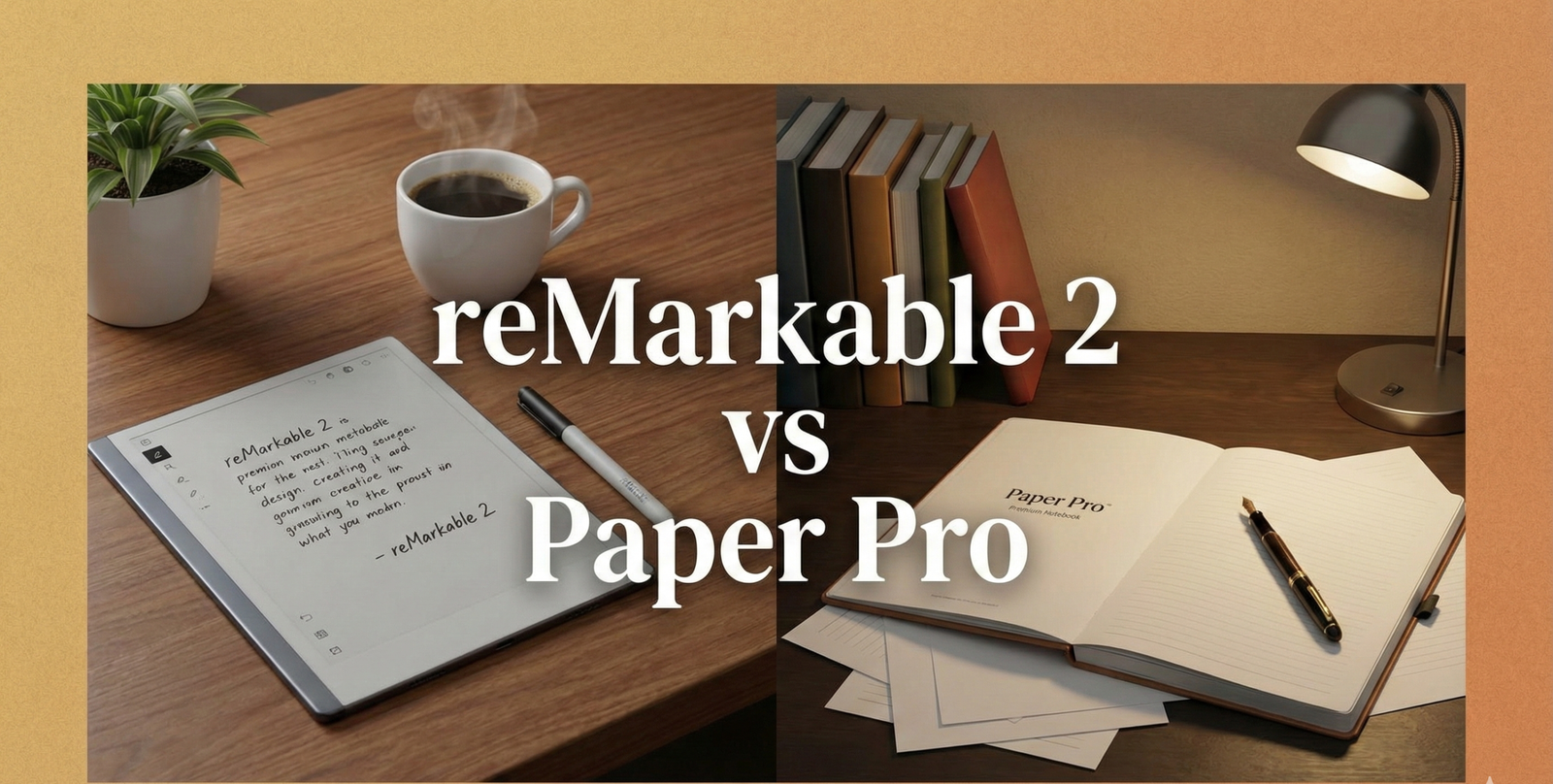
reMarkable 2 vs. Paper Pro: Is the Upgrade to Color Worth the Price?
For years, the reMarkable 2 has been the undisputed king of distraction-free writing. It did one thing—replace paper—and it did it perfectly. It was sleek, unbelievably thin, and felt exactly like writing with a pencil. But it had two glaring omissions that users complained about for years: it was black and white only, and it had no backlight.
Enter the reMarkable Paper Pro. Released with massive hype, it promises to fix everything. It introduces a revolutionary “Canvas Color” display and, finally, a frontlight for reading in the dark. But with a price tag significantly higher than its predecessor, the question remains: is it worth upgrading, or is the classic reMarkable 2 still the smart buy?
This is not a spec sheet comparison. We go deep on every dimension that matters in real-world use—the feel of the nib on the screen, the quality of PDF rendering, the software experience, the accessory ecosystem, and how both devices compare against alternatives. By the end, you will have a complete picture of which device belongs on your desk.
Quick Specs Comparison
| Feature | reMarkable 2 | reMarkable Paper Pro |
|---|---|---|
| Display | 10.3″ Monochrome CANVAS | 11.8″ Color CANVAS Color |
| Resolution | 226 PPI | 229 PPI |
| Frontlight | No (Passive screen) | Yes (Adjustable Reading Light) |
| Latency | ~21 ms | ~12 ms |
| Thickness | 4.7 mm (World’s thinnest) | 5.1 mm |
| Weight | 403 g | 490 g |
| Battery | ~2 weeks | ~2 weeks (variable with light) |
| Storage | 8 GB internal | 64 GB internal |
| RAM | 1 GB | 2 GB |
| Connectivity | Wi-Fi 5 | Wi-Fi 6 |
| Charging | USB-C | USB-C |
| Stylus Included | Marker (passive) | Marker Pro (active, rechargeable) |

reMarkable 2 | The Original Paper Tablet
The world’s thinnest tablet. Distraction-free, monochrome writing that feels exactly like paper. Perfect for focused thinkers.
Check Price1. The Screen: Monochrome vs. Color
This is the most obvious difference. The reMarkable 2 uses standard E Ink technology. It creates crisp, high-contrast text that looks like a printed page. It is perfect for writers and sketchers who work in graphite.
The Paper Pro uses Gallery 3 technology, customized as “Canvas Color.” Unlike other color e-readers (like Kaleido 3) that use a filter array over a black-and-white screen, Gallery 3 uses actual colored ink particles (Cyan, Magenta, Yellow, White). This means the colors are more vibrant and the resolution doesn’t drop when switching to color mode.
The Trade-off: Color E Ink is inherently darker than monochrome. To combat this, the Paper Pro screen has a slight texture difference and relies on the frontlight to make the whites look truly white. If you annotate PDFs, highlight text, or organize notes by color, the Paper Pro is a revelation.
Color Gamut and Real-World Color Quality
Expectations are critical here. Gallery 3 E Ink supports a color gamut roughly equivalent to 60–70% of sRGB. For comparison, an iPad Pro covers 100% of sRGB and nearly 80% of the wider P3 space. What this means practically: photographs look flat and muted on the Paper Pro, but diagrams with colored labels, annotated PDFs with colored highlights, and color-coded note systems look perfectly clear and useful. This is a tool for thinking and working—not for consuming visual media.
Screen Refresh Rate and Ghosting
One persistent criticism of E Ink displays is ghosting—faint residual images left after a screen refresh. Both devices manage this with “full refresh” cycles, but the timing and aggressiveness of the refresh differs. The reMarkable 2 tends to apply full refreshes more conservatively, prioritizing writing smoothness. The Paper Pro applies refreshes slightly more frequently, which helps manage the additional complexity of color rendering but can occasionally introduce a brief flash during page turns. In daily practice, this is a very minor annoyance rather than a meaningful problem.
Glare and Readability
Both devices use a matte, anti-glare coating that dramatically outperforms glossy tablet screens in bright outdoor environments. Under direct sunlight, both remain readable—a quality that no LCD or OLED screen can match. The reMarkable 2’s higher native contrast makes it marginally more readable in very bright ambient light without the frontlight, but with the Paper Pro’s frontlight turned to a low setting, the difference disappears entirely in most real-world conditions.

Staedtler Noris Digital Jumbo
Don’t like the official Marker? This is a fan-favorite alternative stylus that feels like a real pencil and has an integrated eraser. Works perfectly with reMarkable 2.
Check Price on Amazon2. Frontlight: The Game Changer
For many, this is the deciding factor. The reMarkable 2 is completely passive. It reflects ambient light. This is beautiful in a sunny room, but makes the device unusable in bed or on a dim airplane unless you use a clip-on book light.
The Paper Pro includes a built-in reading light. Crucially, it creates very little distance between the pen tip and the “ink,” avoiding the “gap” effect seen on iPads. The light is uniform and adjustable. It allows you to work in any environment, significantly increasing the device’s utility.
Warm vs. Cool Light Modes
The Paper Pro’s frontlight system includes both a cool white LED and a warm amber LED, which can be mixed to create different color temperatures. This is the same feature found on premium Kindle devices and is genuinely valuable: in the evening, shifting the light toward warm amber reduces blue light exposure and the associated disruption to melatonin production, making the device much more compatible with late-night reading or note sessions.
Light Uniformity
One of the most common complaints with budget E Ink readers is uneven frontlight distribution—visible “hotspots” near the LED strip edges. reMarkable has invested significantly in optical engineering here, and the Paper Pro’s frontlight is impressively uniform across the large 11.8-inch panel. You would need to inspect it in a pitch-dark room at low brightness to find any subtle variation. For practical use, it is excellent.
3. Writing Feel & Latency
The reMarkable 2 is legendary for its “scratchy” feel. It sounds and feels like a pencil on paper. The Paper Pro had to change the surface texture slightly to accommodate the frontlight layer and the new color tech.
The Feel: The Paper Pro feels smoother. It is more like a high-quality ballpoint pen on premium paper, whereas the rM2 feels like graphite on textured paper. It is less “scratchy” but still offers resistance.
Latency: The Paper Pro is faster. At 12ms latency, the ink flows from the nib almost instantly. The rM2 (21ms) was already fast, but the Paper Pro feels imperceptible.
Pen Tilt and Pressure Sensitivity
Both devices support pressure sensitivity—pressing harder produces a thicker line, lighter pressure a thinner one. However, the Paper Pro’s active Marker Pro also introduces improved tilt detection. Holding the pen at an angle and shading produces a more natural, graduated fill, similar to tilting a physical pencil to shade with the side of the graphite. For sketchers and visual thinkers, this is a meaningful upgrade. For those who primarily write text notes, it is largely invisible.
Nib Wear Rate
Both devices use replaceable nibs. The textured screen of the reMarkable 2 wears nibs faster—typically every two to four months for heavy daily users. The smoother Paper Pro screen is noticeably gentler on nibs, with many users reporting significantly longer nib life. Replacement nibs are inexpensive, but for heavy users this is a real practical consideration. Both the official Marker and third-party alternatives ship with multiple spare nibs.
Palm Rejection
Palm rejection—the device’s ability to ignore hand contact while writing with the stylus—is critical for natural handwriting. Both devices handle palm rejection well, but the Paper Pro’s active pen system provides more reliable rejection because the device can more precisely distinguish the electromagnetic signal of the charged pen from the capacitive signal of your hand. Users who rest their full hand on the screen while writing will find the Paper Pro’s palm rejection marginally more consistent.
4. Stylus & Pen Technology
The pen ecosystem is one of the most consequential differences between these two devices—and one that is often underexplained in surface-level reviews.
reMarkable 2: Passive Stylus System
The reMarkable 2 uses a passive electromagnetic resonance (EMR) stylus. The pen contains no battery and draws power inductively from the display’s electromagnetic field. This means the Marker never needs charging, never runs out of power mid-session, and contributes nothing to the device’s weight or balance in a negative way. The passive system is simple, reliable, and essentially maintenance-free.
The downside is limited smart features. The Marker Plus (the premium version for rM2) adds an eraser on the back, but the pen itself has no additional inputs, no programmable buttons, and no position awareness beyond the screen surface.
reMarkable Paper Pro: Active Stylus System
The Paper Pro ships with the Marker Pro—an active stylus that requires charging via magnetic connection to the device’s side. The active system enables lower latency, improved pressure curve accuracy, tilt sensing, and additional smart features. The Marker Pro includes programmable shortcut buttons, a dedicated eraser end with pressure sensitivity, and the ability to switch between tools with a tap.
⚠️ Stylus Compatibility Warning
The Paper Pro’s active stylus system is NOT backward compatible with passive reMarkable 2 Markers. If you are upgrading from an rM2 and own the Marker Plus, it will not work on the Paper Pro. You will need the new Marker Pro, which is included in most Paper Pro bundles but sold separately if purchased individually.
Third-Party Stylus Options
The reMarkable 2’s passive EMR system is compatible with any EMR stylus that uses the Wacom EMR protocol, including the popular Staedtler Noris Digital. This opens up a wide ecosystem of alternative pens at various price points. The Paper Pro’s active system is proprietary, limiting third-party options significantly at launch—though community-developed solutions are emerging over time.
5. Size & Ergonomics
The Paper Pro is bigger (11.8 inches vs 10.3 inches). This sounds small on paper, but in practice, it gives you significantly more canvas. It feels closer to an A4 sheet of paper. This is excellent for splitting the screen or viewing full-size PDFs without squinting.
However, the size comes with weight. The Paper Pro is heavier. While the rM2 can easily be held in one hand for long reading sessions, the Paper Pro feels more like a tablet that wants to rest on a desk or in your lap.
Build Quality and Materials
The reMarkable 2 is constructed from a polymer composite that feels premium but is not metallic. Its 4.7mm thickness is genuinely remarkable—holding it is like holding a slightly rigid sheet of cardstock. The Paper Pro uses a similar material language but adds subtle refinements: the bezels are slightly narrower proportionally, the device feels more solid overall, and the magnetic Marker Pro attachment feels more secure. Neither device feels cheap, but the Paper Pro feels like the mature successor it is intended to be.
One-Handed vs. Two-Handed Use
For reading long documents or books, the reMarkable 2’s lighter weight enables comfortable one-handed holding for extended periods—something the Paper Pro struggles with at 490g. If a significant portion of your use involves hand-held reading (commuting on public transit, reading in bed with the device raised), the rM2’s ergonomics are genuinely superior. If most of your use involves the device flat on a desk or resting in your lap, the Paper Pro’s extra screen real estate wins.
6. Software & Ecosystem
Hardware specs tell part of the story. The software experience on both devices defines the day-to-day reality of ownership—and this is an area where reMarkable has made meaningful progress with the Paper Pro while maintaining the platform’s core identity of focused simplicity.
The reMarkable Operating System: Philosophy
reMarkable deliberately limits the software capabilities of its devices. There is no web browser, no email client, no app store. The interface is spare to the point of minimalism. This is a design choice, not a limitation: the platform’s core value proposition is a distraction-free environment. If you are someone who inevitably gets sucked into notifications and apps when holding a connected device, the locked-down nature of reMarkable’s OS is a feature, not a bug.
Note Organization on Both Devices
Both devices use the same basic organizational structure: notebooks and folders. You can create any number of notebooks, organize them into folders, and search across handwritten content using OCR (Optical Character Recognition). The OCR on reMarkable has improved significantly—it handles most handwriting styles well and is particularly useful for converting handwritten notes to typed text for sharing.
The Paper Pro adds one important organizational feature: true color categorization. You can assign color labels to notebooks and use color-coded tags within documents—a system that was present but invisible on the monochrome rM2. For anyone who organizes notes by color, this transforms the experience.
Templates and Page Layouts
Both devices include a library of page templates: blank, lined, dotted, grid, weekly planners, Cornell note layouts, and more. The Paper Pro’s larger screen and color capability add to this: templates can use color accents (a colored header bar, colored columns), and the additional canvas makes templates like the Cornell layout noticeably more useful with clearly delineated sections. reMarkable has also expanded the template library for Paper Pro users, with additional layouts specifically designed for the larger format.
Screen Share and Presentation Mode
Both devices support Screen Share—the ability to mirror your device display to a computer via browser, useful for presentations and teaching. The Paper Pro’s screen share gains significant value from color: presenting annotated PDFs or color-coded diagrams over video calls is now actually practical. On the rM2, screen share was primarily useful for showing handwritten text notes, where color mattered less.
💡 reMarkable Connect: The Subscription Factor
Both devices offer basic functionality for free but unlock cloud storage, seamless sync across devices, and integrations (Google Drive, Dropbox, OneDrive) with a paid Connect subscription. This subscription cost is a real part of the total ownership equation that rarely appears in comparison articles. Factor the ongoing subscription fee into your budget calculation, especially if you plan to use the cloud sync features that significantly improve both devices’ practical workflow.
7. PDF & Document Handling
For many professional users, PDF annotation is the primary use case. This is where the Paper Pro’s advantages compound most dramatically.
Rendering Quality
Both devices render PDFs sharply. At 226 and 229 PPI respectively, text and diagrams are clearly legible at standard reading distance. The reMarkable 2 renders PDFs identically to how they would appear printed on a laser printer: crisp, high-contrast, monochrome. The Paper Pro renders PDFs in their native color, meaning charts, highlighted sections, colored diagrams, and visually designed documents appear as their creators intended.
Annotation Workflow
On the reMarkable 2, annotation tools are limited to black and white: pen, pencil, marker, and highlighter (which appears as a light grey tone rather than a visible color). The rM2 highlighter is functional but visually subtle—it is easy to forget where you have highlighted on a densely annotated document.
The Paper Pro offers full color annotation: five highlight colors (yellow, green, blue, pink, orange) that appear as actual colors on the document. Multiple color highlighters, colored pen annotations, and color-coded marginalia transform a complex technical paper or legal document from a flat wall of text into a visually navigable, hierarchically organized reading experience.
Large Document Performance
The Paper Pro’s doubled RAM (2GB vs 1GB) and significantly larger storage (64GB vs 8GB) produce measurable differences when handling large documents. A 500-page technical manual or a collection of research papers loads faster and scrolls more smoothly on the Paper Pro. On the rM2, very large PDFs can produce noticeable lag during page turns—not severe, but perceptible for heavy professional users. For typical use (books, academic papers, typical business documents), both devices perform adequately.
EPUB and Book Reading
Both devices support EPUB format for e-books. Neither has a native bookstore or library app integration. You transfer books via USB or the cloud sync (with a Connect subscription). For long-form reading, both devices are genuinely excellent—the E Ink display is far easier on the eyes during multi-hour reading sessions than any LCD or OLED screen. The Paper Pro’s frontlight makes it substantially more useful as a bedside reading device.
8. Connectivity & Cloud Sync
Neither device is designed to be a heavily connected productivity hub, but connectivity features meaningfully affect the workflow around both devices.
Wi-Fi Specifications
The reMarkable 2 uses Wi-Fi 5 (802.11ac), while the Paper Pro upgrades to Wi-Fi 6 (802.11ax). In practical terms, both devices sync documents quickly—the files are typically small text and drawing data rather than large media files. Wi-Fi 6 becomes more relevant in crowded network environments (offices, conferences) where network congestion is common. For home use, the difference is negligible.
Cloud Integrations
With a Connect subscription, both devices integrate with Google Drive, Dropbox, and OneDrive, allowing automatic syncing of exported PDFs and notebooks. The integration is one-directional for most use cases: you write on the device, export as PDF, and the exported file lands in your cloud storage folder. Direct import from cloud storage into the device requires the companion app on a phone or computer.
The reMarkable Desktop and Mobile App
reMarkable provides companion apps for Windows, macOS, iOS, and Android. The apps allow you to view and organize your notebooks, import documents, and export notes to PDF or PNG. The mobile app also enables a “Type Folio” integration for the Paper Pro (a keyboard accessory sold separately). The app experience is functional but deliberately minimal—reflecting the platform’s focus on the physical device rather than screen time.
Email Integration
Both devices support a unique feature called “Send to reMarkable”: a dedicated email address that, when sent an attachment, automatically imports the document to your device. This is particularly useful for quickly sending articles, reports, or documents from your computer to your device without navigating the full sync workflow. It works reliably on both devices and is one of the more elegant friction-reduction features in the ecosystem.
9. Accessories & Cases
The accessories ecosystem is an underappreciated part of the total ownership experience—and one area where choosing a device locks you into a specific set of options.
Official Cases and Folios
reMarkable offers premium leather folios for both devices. The folios are beautifully constructed—genuine leather, clean magnetic attachment, and a design that protects the screen while allowing the folio to double as a writing surface (the folio folds back flat). Both the Book Folio (front/back protection) and the Folio (front protection only) are available for both devices. However, the sizes are different—rM2 folios do not fit the Paper Pro and vice versa. If you own a leather folio from your rM2, you will need to budget for a new one.
Type Folio: The Keyboard Accessory
The Paper Pro is compatible with the Type Folio—a keyboard case that transforms the device into a compact writing machine similar to a compact laptop. The Type Folio connects magnetically and charges wirelessly from the device. It is designed primarily for users who want to combine the E Ink display’s eye-comfort with the speed of typed text entry. The Type Folio does NOT fit or work with the reMarkable 2, making it an exclusive Paper Pro feature. For writers, journalists, or anyone doing substantial long-form text work, the Type Folio dramatically expands the Paper Pro’s use case.
💡 Third-Party Case Ecosystem
The reMarkable 2 has a significantly more mature third-party case ecosystem thanks to its longer market presence. Dozens of makers on Etsy and Amazon offer custom cases, sleeves, and covers for the rM2 at prices well below the official folio. The Paper Pro’s third-party ecosystem is younger and smaller, meaning official accessories are currently the primary option at the premium end.

Anker 737 Power Bank (GaNPrime)
Never run out of juice on the go. Since the Paper Pro uses USB-C, a high-quality portable charger ensures your digital notebook is always ready for a brainstorming session.
Check Price on Amazon10. Battery Life & Charging
Both devices boast excellent battery life compared to an iPad. You can expect weeks of usage on a single charge.
- reMarkable 2: Can easily last two to three weeks of heavy use because it has no light and simpler screen refresh tech.
- Paper Pro: Still impressive, but usage varies heavily based on how bright you keep the frontlight. With the light off, it rivals the rM2.
Charging Speed and Behavior
Both devices charge via USB-C and support standard fast charging. The Paper Pro’s larger battery takes longer to fully charge from empty, but most users top up the device weekly rather than waiting for complete discharge—a habit that E Ink’s incredibly low standby power draw enables. Leaving either device uncharged on a desk for a week results in minimal battery drain, something that would be unthinkable with an iPad or Android tablet.
Standby Power and Always-On Use
E Ink’s defining characteristic is zero power draw when the display is static—the screen maintains its image without any electricity. Both devices exploit this fully: in standby with the cover closed, both consume negligible power. You will not pick up your reMarkable after a week away and find a dead battery. This behavior alone makes the platform uniquely suited to occasional, spontaneous use—the kind of use case where an iPad’s battery depletion over a week of standby becomes genuinely inconvenient.
11. Pricing & Value
This is where the divide widens. The reMarkable 2 has seen price drops over the years, making it an accessible entry point. The Paper Pro is a premium flagship product.

reMarkable Paper Pro | The Ultimate Upgrade
11.8″ Color Canvas display with an adjustable reading light. The premium choice for professionals who need color and versatility.
Check PriceTotal Cost of Ownership Breakdown
The Cost Reality: A full Paper Pro setup (Tablet + Marker Plus + Leather Folio) can approach the price of a high-end iPad Pro or MacBook Air. You have to really want the specific benefits of E-Ink (eye safety, focus, battery) to justify the cost over a standard tablet. Breaking down the full cost is essential for an honest evaluation.
| Item | reMarkable 2 Bundle | Paper Pro Bundle |
|---|---|---|
| Device Only | Lower price tier | Higher price tier |
| Stylus Included | Marker (basic) or Marker Plus | Marker Pro (active) |
| Folio Case (official) | Additional cost | Additional cost |
| Type Folio (keyboard) | Not compatible | Additional cost |
| Connect Subscription | Optional annual/monthly | Optional annual/monthly |
| Replacement Nibs | Low (wears faster) | Low (wears slower) |
Refurbished and Used Market
The reMarkable 2’s maturity means a healthy secondhand market exists on platforms like eBay and Facebook Marketplace. Gently used rM2 units at significantly reduced prices are common and provide an excellent entry point for budget-conscious buyers who want to try the platform before committing. The Paper Pro’s secondhand market is thinner at this stage but will mature over time.
12. How They Compare to Rivals
No comparison is complete without context. Both reMarkable devices exist in a market with capable alternatives, and understanding the competitive landscape helps clarify when the reMarkable premium is justified and when alternatives deserve consideration.
vs. Kindle Scribe
The Kindle Scribe (Amazon’s writing-capable e-reader) offers a 300 PPI display—sharper than both reMarkable devices—plus full access to the Kindle bookstore, at a meaningfully lower price. For users whose primary use case is reading Kindle books with occasional handwritten notes, the Scribe is genuinely compelling. It loses to reMarkable on writing feel (the Scribe’s pen experience is noticeably less “papery”), document organization depth, and the overall note-taking workflow.

Consider the Alternative: Kindle Scribe
If the reMarkable ecosystem feels too expensive, the Kindle Scribe offers a 300 PPI screen, a backlight, and access to the entire Amazon Kindle library for a lower price.
Check Price on Amazonvs. Boox Note Air Series
BOOX (Onyx International) makes a range of E Ink tablets running a modified version of Android. The BOOX Note Air 4C, for instance, offers a color E Ink display, frontlight, and full Android app support—including the ability to run Google Drive, Notion, and even a basic web browser. For users who want E Ink’s eye comfort without sacrificing app versatility, BOOX is a legitimate alternative. The trade-off is software polish: BOOX’s modified Android is capable but noticeably rougher than reMarkable’s purpose-built interface. The writing experience on BOOX devices is also generally rated below reMarkable’s in terms of paper-like feel.
vs. Apple iPad with Paper-Like Screen Protector
The most common comparison. iPad Pros with paper-like screen protectors (which add texture to the glossy screen) and Apple Pencil offer far more versatility: apps, entertainment, web browsing, real color, camera. The argument for reMarkable is not raw capability but deliberate limitation. A reMarkable device cannot tempt you into checking social media, watching a video, or scrolling news. The device’s singular focus is both its greatest strength and its primary limitation—and which of those words best describes it depends entirely on your own relationship with digital distraction.
vs. Supernote Nomad and A5X
Supernote devices have developed a dedicated following among serious note-takers, particularly for their exceptional build quality, heart-of-glass screen surface (which some users prefer for drawing), and a software update cadence that responds rapidly to user feedback. Supernote lacks color and frontlight on most models, positioning it closer to the rM2 in feature set but with a different ergonomic and software personality. For users who find the reMarkable ecosystem too closed or too expensive, Supernote is the alternative most worth investigating.
13. Who Should Buy Which?
The most useful comparison is not a spec sheet but a use-case match. Here is an honest mapping of the right device to the right user.
Pure Note-Taker rM2
If 95% of your use is handwritten text notes with no color annotation needs, the rM2’s legendary paper feel and lower price are the clear choice.
PDF Power User Paper Pro
Color highlights, colored annotations, and sharper visual differentiation transform the PDF annotation workflow. Paper Pro wins decisively here.
Avid Reader Paper Pro
The frontlight alone justifies the upgrade for anyone who reads in dim environments, in bed, or on planes. The rM2 simply cannot do this.
Frequent Traveler rM2
Lighter, smaller, and longer battery life without frontlight. The rM2 slips into a bag more easily and matters less if bumped around.
Sketcher / Artist Paper Pro
Lower latency, tilt sensing, color capability, and a larger canvas make the Paper Pro the obvious choice for visual creative work.
Student rM2
Budget-friendly, durable enough for a backpack, and more than capable for lecture notes and reading. The rM2 offers excellent value for academic use.
Executive / Professional Paper Pro
Color-coded meeting notes, annotated contracts, and presentation-ready screen sharing. The Paper Pro feels right in a professional setting.
Long-Form Writer Paper Pro
With the Type Folio keyboard accessory, the Paper Pro becomes a distraction-free writing machine with a beautiful display. Unique in this market.
Final Verdict: Which One Should You Buy?
Buy reMarkable 2 if:
- You are on a budget and want the best value in E Ink writing.
- You only take text notes and don’t need color annotation.
- You prefer a smaller, lighter device for portability.
- You love the “scratchy” pencil feel above all else.
- You are a student or first-time E Ink buyer.
- You want access to a mature third-party accessories market.
Buy Paper Pro if:
- You need to read or work in the dark (the frontlight is essential).
- You review and annotate color PDFs regularly.
- You find the 10.3″ screen slightly too cramped for your workflow.
- You want the fastest, lowest-latency writing experience available.
- You plan to use the Type Folio keyboard for long-form writing.
- You are a professional who would benefit from color-coded notes.
The Scorecard
| Category | reMarkable 2 | Paper Pro | Winner |
|---|---|---|---|
| Writing Feel | ★★★★★ | ★★★★☆ | rM2 |
| Latency | ★★★★☆ | ★★★★★ | Paper Pro |
| Display (versatility) | ★★★☆☆ | ★★★★★ | Paper Pro |
| Frontlight | ★☆☆☆☆ | ★★★★★ | Paper Pro |
| Battery Life | ★★★★★ | ★★★★☆ | rM2 |
| Portability | ★★★★★ | ★★★★☆ | rM2 |
| Software | ★★★★☆ | ★★★★★ | Paper Pro |
| PDF Handling | ★★★☆☆ | ★★★★★ | Paper Pro |
| Accessories | ★★★★☆ | ★★★★★ | Paper Pro |
| Value for Money | ★★★★★ | ★★★☆☆ | rM2 |
✅ The Bottom Line
If you can afford it, the Paper Pro is objectively the better device. The frontlight alone solves the biggest complaint of the platform. However, the reMarkable 2 remains the best value in the category and is still a joy to use for pure writers. Neither is the wrong choice—they are devices for different priorities. Know your priorities before you buy.